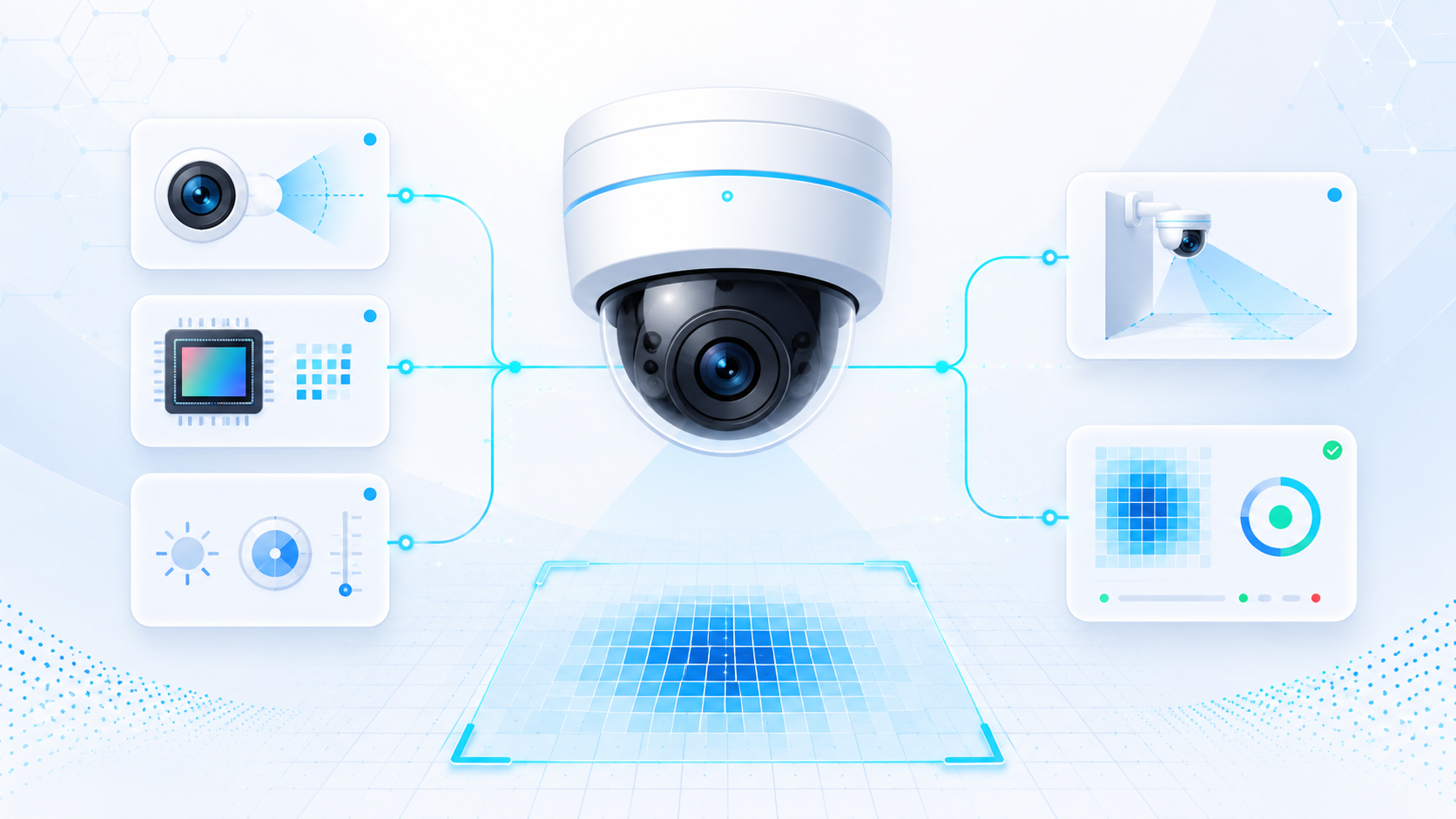
Visualize this. A company spends six months and a small fortune training a state-of-the-art face recognition model. It can tell identical twins apart. It can recognize you after a haircut, a beard, and a dubious life decision involving sunglasses. Then they deploy it, point the camera slightly too high, and the model spends the rest of its career delivering flawless analysis of a ceiling fan.
That, in one sad little story, is why we are starting this whole series with cameras instead of algorithms.
Welcome to the first article in the Intelligent Video Analytics series. Over the next fifteen articles, we are going to build up, layer by layer, everything you need to understand and eventually build real video analytics systems, all the way to writing GPU-accelerated pipelines with NVIDIA DeepStream. But before we touch a single neural network, we need to talk about the part everyone wants to skip: the hardware that actually captures the video.
Here is the unpleasant truth that this article exists to hammer home: a great model fed by a bad camera produces bad results, while a decent model fed by a well-placed camera produces good ones. Garbage in, garbage out is not a cliché in computer vision. It is the law of the land. So let’s learn how not to feed our future AI garbage.
What a CCTV system actually is#
CCTV stands for Closed-Circuit Television, which is a wonderfully old-fashioned name for “cameras connected to a system that only authorized people can watch.” The “closed circuit” part is the key historical idea: unlike broadcast TV, the signal goes to a specific, private set of monitors and recorders, not out to the public.
The thing people miss is that a camera is not a system. It is one link in a chain. If any link is weak, the whole thing underperforms, and your shiny analytics inherit every weakness upstream.
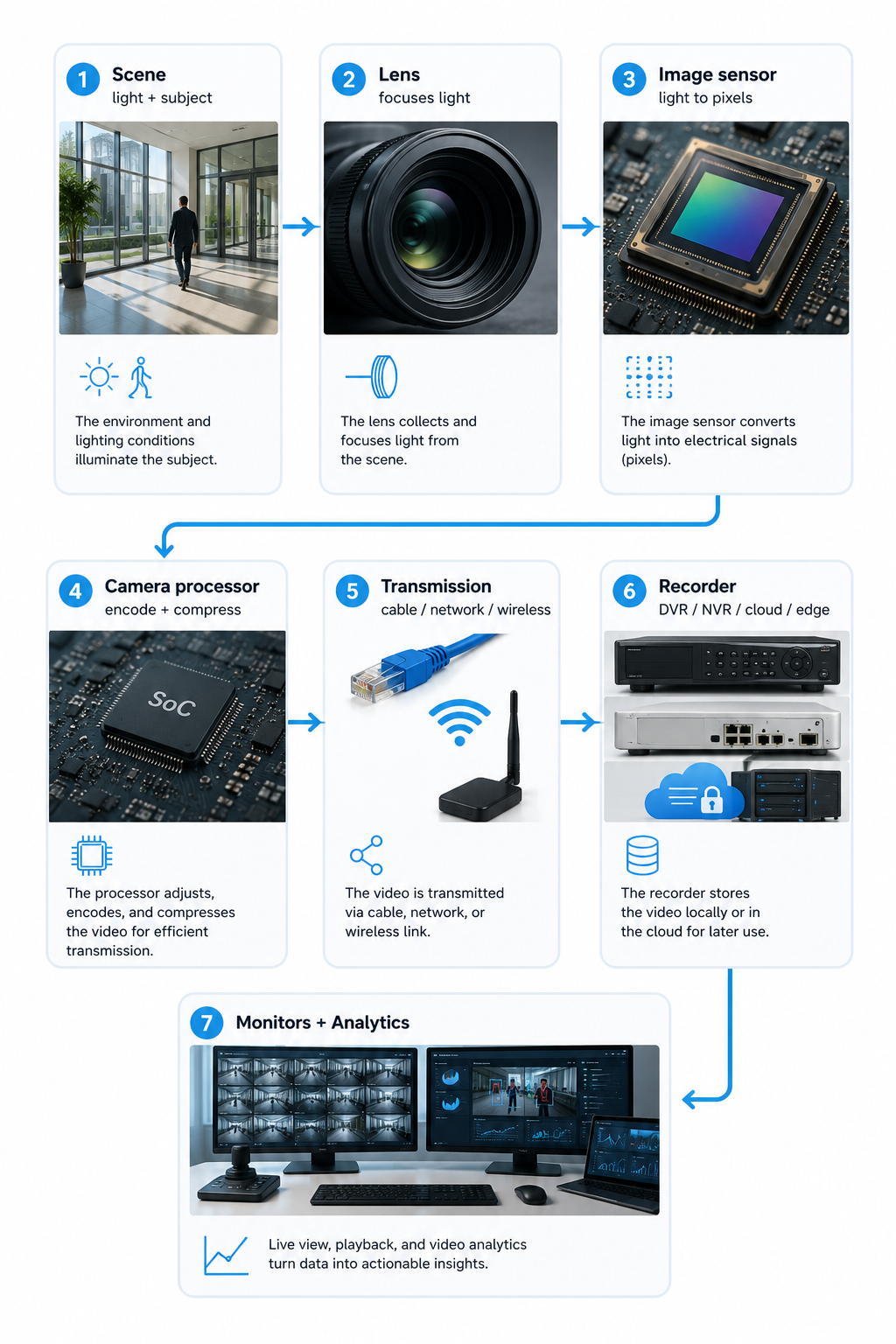
Read that chain left to right and notice something: the analytics live all the way at the end. Every decision made earlier (how bright the scene is, what the lens does to the light, how the sensor converts it, how aggressively the video gets compressed before it even leaves the camera) lands on the analytics desk, whether we like it or not. This is why “just buy a better camera” is rarely the whole answer, and “just train a better model” is almost never the whole answer.
The classic building blocks of a CCTV system are the cameras, the lenses, the transmission system that carries the signal, the recording device that stores it, and the monitors that display it. Power deserves a mention too, because modern systems usually deliver it over the same cable as the data using Power over Ethernet (PoE), which means one wire does two jobs and your installer sends you a slightly smaller bill.
The whole reason any of this exists has not changed much over the decades. CCTV deters crime because people behave better when they think they are being watched, it collects evidence after the fact, it allows remote monitoring from anywhere with an internet connection, and increasingly it drives business efficiency, things like counting customers, spotting spills, and optimizing traffic. That last category, business efficiency, is where analytics turns a security cost into a business tool. But again, none of it works if the capture is bad. Let’s go up the chain.
Analog vs IP cameras: the format war you already missed#
There are two broad families of cameras, and one of them basically won.
Analog cameras are the old guard. They capture video and send it as an analog signal down a coaxial cable to a Digital Video Recorder (DVR), which digitizes and stores it. They are cheap, simple, and they happily reuse the coaxial cabling that buildings have had since the disco era. Their downside is resolution and flexibility: lower image quality, fewer features, and a lack of graceful scaling to large or smart deployments.
IP cameras, also called digital or network cameras, capture video, digitize it right there inside the camera, and send it as data over a standard IP network, the same kind of network your laptop uses. The letters IP stand for Internet Protocol, the addressing scheme that lets devices talk over networks. These cameras give you higher resolution (4K is common), easy scaling, and crucially, they plug straight into the networked, computerized world where analytics lives.
For video analytics in 2026, IP cameras win almost by default. Here is the simplest way to think about why: analytics needs many clear pixels delivered as data to a computer. IP cameras are built to deliver exactly that, and PoE means a single Ethernet cable carries both their power and their video. Analog still shows up where budgets are tight or legacy coax already runs through the walls, and Hybrid Video Recorders (HVRs) exist precisely so you can run both while you migrate. But if you are designing for analytics, you are almost certainly designing around IP.
Camera body types: the zoo#
Once you pick an IP, you still have to choose a physical camera shape, and the shape tells you a lot about where it is meant to live. Think of these less as “models” and more as personalities.
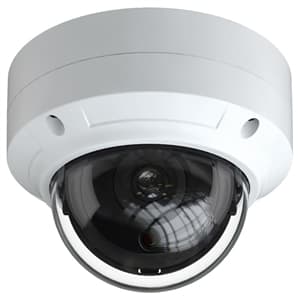
A dome camera hides its lens inside a tinted dome. It looks discreet, it is hard to vandalize, and nobody can easily tell which way it is pointing, which is half the deterrent. Domes are the default for indoor spaces like offices, shops, and hotels. The trade-off is that they are a bit fiddly to re-aim and need occasional cleaning.
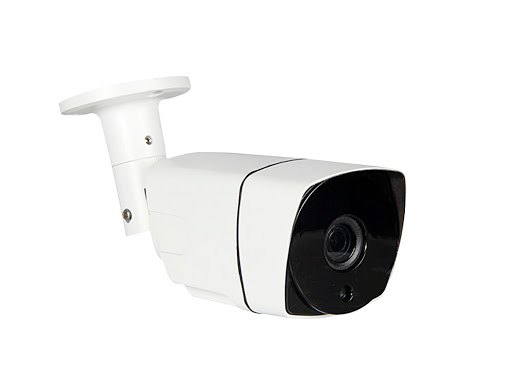
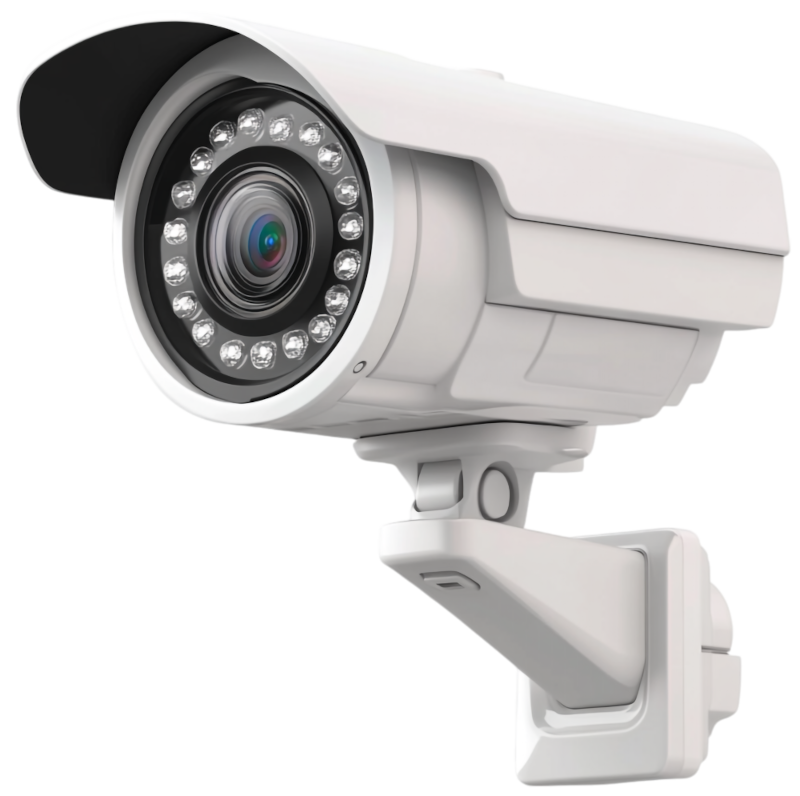
A bullet camera is the cylindrical one that looks like, well, a small cannon bolted to a wall. Bullets are built for the outdoors: weatherproof, long-range, and obvious, because sometimes you want people to see the camera. They sit in one fixed direction, so you point them at the thing that matters and leave them there.
A PTZ camera stands for Pan-Tilt-Zoom, and it does exactly that: it can swivel left and right, tilt up and down, and zoom in, all under remote or automated control. PTZ cameras are the show-offs of the group, perfect for large open areas like parking lots and stadiums where an operator (or an analytics rule) has to follow the action. They cost more and are more complex to install, and here is a subtle analytics gotcha: because a PTZ is always potentially moving, your analytics has to know where it is pointing, or it will happily report a person “crossing a line” that just moved because the camera turned.
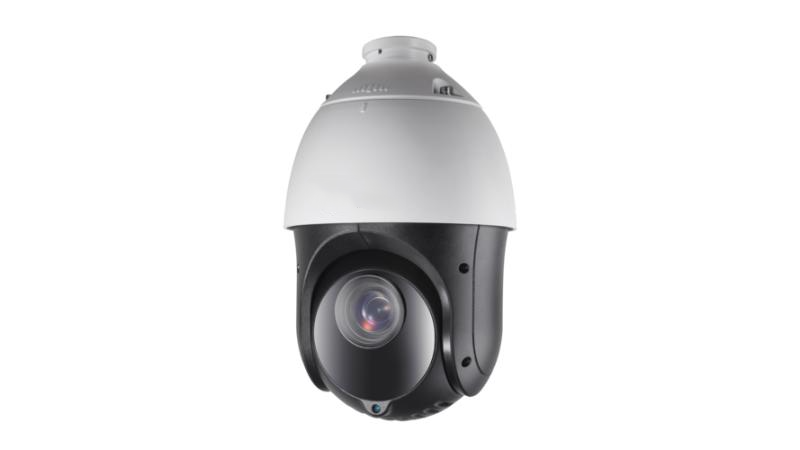
An infrared / night vision camera carries its own infrared LEDs so it can see in low or zero light. Infrared is light our eyes cannot see, but the sensor can, so the camera essentially brings its own invisible flashlight. These are essential for genuine 24/7 coverage, with the caveat that IR has a limited effective range.
A wireless camera sends its video over Wi-Fi or another radio link instead of a data cable, which is great when running cable is impractical and less great when the battery dies or the signal drops. A covert / hidden camera is disguised as an everyday object (a smoke detector, a clock) and is used when you specifically do not want to be seen, with all the privacy and legal care that implies.
Finally, the wide-angle weirdo: the fisheye camera. It uses an ultra-wide lens to capture a 180 or even 360-degree view, so one camera can blanket an entire room with no blind spots. The catch is geometric distortion; everything near the edges bends like a funhouse mirror, so analytics on fisheye footage usually have to “de-warp” the image first before it can measure anything sensibly.
Lenses and field of view: the great trade-off#
If the camera body decides where the camera lives, the lens decides what it can actually resolve, and this is where a lot of analytics projects quietly succeed or fail.
The single most important lens property is focal length, measured in millimeters. You do not need the optics PhD version. Here is the intuition: a short focal length (say 2.8 mm) gives a wide field of view, you see a lot of the scene, but each object is small and far-away-looking. A long focal length (say 12 mm or more) gives a narrow field of view, you see less of the scene, but whatever is in frame is big and detailed. Wide angle means “lots of area, little detail per object.” Telephoto means “little area, lots of detail per object.” You cannot have both at once from a single camera, and pretending otherwise is the root cause of many disappointing deployments.
That trade-off shapes the three lens styles you will meet:
A fixed lens has one focal length, period. It is cheap, simple, and perfect when the scene never changes, such as a doorway or a small shop floor. The downside is inflexibility: to cover a big area, you may need several cameras because you cannot zoom one to fit.
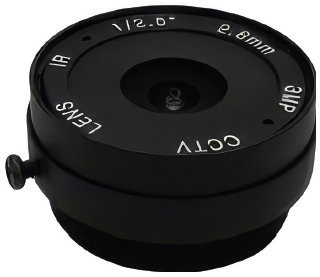
A varifocal lens lets you manually adjust the focal length within a range, often written like “2.8-12 mm.” You set it once during installation to frame the scene just right, then leave it. This is the workhorse for commercial spaces because a single camera model can adapt to many mounting configurations.
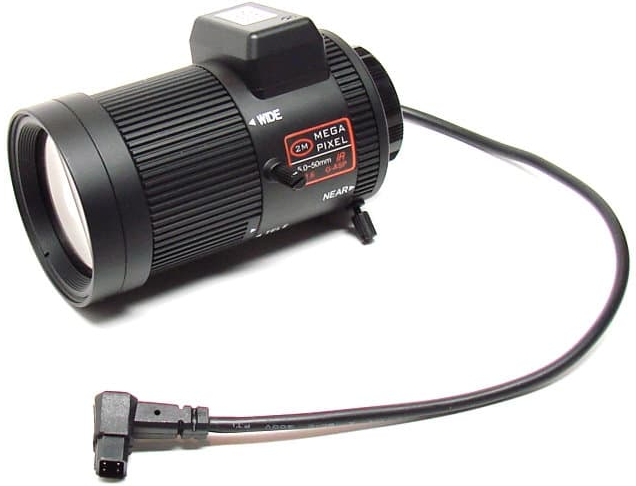
A zoom lens adjusts focal length continuously and remotely, which is why it pairs with PTZ cameras. It is the most versatile and the most expensive, and it lives in high-risk places like airports and critical infrastructure, where an operator needs to pull a distant face or license plate into sharp focus on demand.
flowchart TD
    L[Focal length choice] --> W[Short / wide angle]
    L --> T[Long / telephoto]
    W --> W1[Sees a large area]
    W --> W2[Less detail per object]
    W --> W3[Good for: overview, room coverage]
    T --> T1[Sees a narrow area]
    T --> T2[More detail per object]
    T --> T3[Good for: faces, plates, distance]
Sensors: where light becomes numbers#
Behind the lens sits the image sensor, the chip that turns focused light into the pixels your analytics will eat. Two acronyms dominate here.
A CCD (Charge-Coupled Device) sensor is the older technology, historically prized for clean, high-quality images with low noise. A CMOS (Complementary Metal-Oxide-Semiconductor) sensor is the modern default, because it uses less power, reads out faster, and is cheaper to make at scale. For practically every new analytics deployment, you are looking at CMOS, and it has gotten good enough that the old “CCD is better quality” rule of thumb barely holds anymore.
One sensor detail genuinely matters for analytics: shutter type. A global shutter captures the entire frame at the same instant. A rolling shutter captures the image line by line, top to bottom, very fast but not simultaneous. With fast motion, the rolling shutter produces that weird skew where a passing car or a spinning propeller looks like it is melting, the “jelly effect.” If your analytics has to read fast-moving objects, like license plates on a highway, rolling-shutter wobble can corrupt the very thing you are trying to measure. Global shutter costs more but earns its keep in high-speed scenes.
And a word on resolution, because it is the most over-trusted number in the whole industry. Yes, 4K gives you more pixels than 1080p. But pixels spread across a wide scene get thin fast, and a 4K camera covering a huge parking lot may put fewer pixels on a distant face than a 1080p camera covering just the entrance. Resolution is not detail. Resolution spread over the area is the detail. Hold that thought, because it is about to become the most useful idea in the article.
Light: the variable everyone forgets#
Cameras do not see objects. They see light bouncing off objects. So the amount and quality of light in your scene is not a detail; it is arguably the whole game.
Light level is measured in lux, where one lux is roughly the light of a single candle a meter away, a brightly illuminated office is a few hundred lux, and full daylight is tens of thousands. The lower the lux, the harder your sensor works, the more it boosts the signal, and the more noise (that grainy speckle) creeps in, and noise is poison to analytics because it looks like fake detail.
There is also color temperature, measured in Kelvin, which describes whether light looks warm and orange or cool and blue. It affects how colors render, which matters more than you would think for jobs such as coordinating the color of a vehicle or a jacket across cameras.
When natural light runs out, cameras bring their own using IR illuminators, banks of infrared LEDs which flood the scene with light our eyes cannot see but the sensor can. IR illuminators come with different beam angles: a wide beam spreads light throughout a broad close-up area, a narrow beam throws light far down a corridor or perimeter. Match the beam to the lens and the job. A narrow telephoto lens watching a long fence wants a narrow long-throw IR beam, not a wide floodlight that lights up the first ten meters and nothing else. Get this pairing wrong and your night footage is a bright blur in the foreground and pure darkness where the action actually is.
The practical takeaway: always evaluate a camera location at its worst lighting moment, not its best. The scene that looks lovely at noon is the same scene your analytics has to handle at 3 a.m. in the rain.
Pixels on target: the one concept to remember#
If you take only one idea from this article into the rest of the series, make it this one.
Whether a video feed is sufficient for a given analytics task does not depend solely on the camera’s resolution. It depends on how many pixels actually land on the thing you care about. The industry has a tidy framework for this, sometimes called DORI, which stands for Detect, Observe, Recognize, Identify, four escalating levels of “how much can I tell about this object?”
- Detect: you can tell something is there. A blob is a person, not a tree. This needs the fewest pixels.
- Observe: you can make out general characteristics, roughly what someone is doing or wearing.
- Recognize: you can tell whether you have seen this person or object before.
- Identify: you can say with confidence who it is, or read the exact license plate. This needs the most pixels by far.
flowchart LR
    D[DETECT<br/>something is there] --> O[OBSERVE<br/>general traits]
    O --> R[RECOGNIZE<br/>seen before?]
    R --> I[IDENTIFY<br/>exactly who/what]
Left to right, the pixels you need on the target climb from fewest (Detect) to most (Identify).
The reason this matters so much: the same camera can be at “identify” level for someone standing at the door and only at “detect” level for someone at the far end of the lot, because the pixels-per-object count collapses with distance. So the real planning question is never “is this a good camera?” It is “does this camera put enough pixels on the target at the distance and lighting where I actually need the answer?” Face recognition needs pixel-level information on a face. People-counting only needs detection-level pixels on a body. Specifying an identity-grade setup for a counting task wastes money, and specifying a detection-grade setup for face recognition wastes the entire project.
Placement, height, and angle: free quality you keep throwing away#
Here is the genuinely good news. Pixels-on-target, lighting, and the right lens are mostly free to get right, because they come down to where and how you mount the camera, not how much you spend on it.
A few rules that prevent most disasters:
Mount at a height that sees faces, not scalps. The single most common mistake in the ceiling-fan story at the top of this article is mounting too high and angling too steeply down, which gives you beautiful footage of the tops of people’s heads and not one usable face. For identification tasks, you generally want the camera at face height and gently angled, so subjects walk toward the lens.
Point the camera with the light, not into it. A camera aimed at a bright doorway or window will expose for the bright background, turning every person walking in into a black silhouette. Backlight is the quiet killer of entrance analytics.
Mind the distance-versus-width trade. A wide lens covering a wide area means each object gets fewer pixels, dropping you back to the detection level. If you need to recognize or identify, either get closer, narrow the lens, or add a dedicated camera for that chokepoint. A common professional pattern is “overview plus detail”: a wide camera for situational awareness, paired with a tight camera on the spot where you need identity, the gate, the till, the door.
Protect the camera from its environment. Weather, dust, spiderwebs (genuinely a leading cause of false motion alerts at night, because a web in front of an IR illuminator lights up like a disco), and vandalism all degrade the feed over time. The best-aimed camera in the world is useless once it is caked in grime.
None of this requires a bigger budget. It requires thinking about the analytics goal before the installer is up the ladder.
Recording and retention: a quick bridge#
We will go deep into networking and storage in the next article, but a brief orientation will close the loop. Footage is stored on a DVR for analog systems, an NVR (Network Video Recorder) for IP systems, or an HVR for mixed fleets, and increasingly on cloud storage for off-site scalability or edge storage right at the camera for redundancy and low latency.
How much you store is determined by two dials. Frame rate, measured in frames per second (fps), controls smoothness: 5-10 fps is fine for a quiet storage room, 15-20 fps suits general surveillance, and 25-30 fps is needed for fast scenes like intersections or, the classic example, casino tables. And recording mode controls when you capture at all: continuous (everything, all the time, storage-hungry), scheduled (only during chosen hours), or event-triggered (only when motion, an analytics rule, or a sensor fires). Event-triggered recording is where analytics and storage start to cooperate; the analytics decides what is worth keeping, which is a neat preview of the intelligence we are building toward.
The “will this feed actually work?” checklist#
Before you trust any camera feed to an analytics task, run it through this quick gut-check. If you cannot answer yes to all of these, fix the capture before you blame the model.
- Pixels on target: at the distance where I need the answer, are there enough pixels on the object for my task level (detect / observe / recognize / identify)?
- Lighting at its worst: does the scene have usable light, or appropriate IR, at the darkest, harshest time I care about, not just at noon?
- Lens fit: is the field of view framed so the target is large enough, without trying to cover too much area with one camera?
- Angle and height: am I capturing faces and details, not the tops of heads, and am I shooting with the light instead of into it?
- Motion match: are the frame rate and shutter type adequate for how fast things move in this scene?
- Clean and protected: will this camera stay clear of weather, glare, and spiderwebs over time?
Wrapping up#
We have not written a single line of AI code, and yet we have already covered the decisions that determine whether AI will work at all. The camera, the lens, the sensor, the light, and the placement form the foundation on which every later layer in this series will stand. Get them right, and the analytics have a fighting chance. Get them wrong, and no model on earth will save you, because you cannot recognize a face that was never captured in the first place.
The short version, if you forget everything else: analytics is only as good as the pixels it is fed, and pixels-on-target beats raw resolution every single time.
Next up in the series, we follow the video off the camera and into the wires. Part 2 is all about the network behind the cameras: topologies, bandwidth math, compression, and the security that keeps your surveillance system from becoming someone else’s. Because once you have great pixels, you still have to get them to the analytics without choking the network or leaving the door open. See you there.