The Problem: The Tower of Babel of Events#
Picture yourself working in a company that has grown organically over the years. You run a payment service on AWS, an inventory system on Google Cloud and a home-grown notification microservice living on a bare-metal server. All of these systems publish events when something interesting happens: a payment is confirmed, stock drops below a threshold, a user signs up.
Now suppose you need to build a central event router that listens to all of them and decides what to do. Here’s the first thing you run into: every system speaks a totally different “dialect”. The payment service wraps its events in a field called event_name. The inventory system uses the term messageType for the same concept. The notification service calls it action. You’re writing adapter code just to normalize what an event is before you can even start writing logic to route it.
CloudEvents 1.0 is an open specification, hosted by the Cloud Native Computing Foundation (CNCF), for describing event metadata in a common, vendor-neutral envelope. It doesn’t tell you what your business data will look like, that’s still up to you to design. It is a small agreed upon set of fields that describe the event, where it came from, what type it is, when it happened, and a unique identifier for it.
Think of it just like a postal envelope. It doesn’t matter what letter is inside. Nobody handling the mail needs to open it; they just read the address, sender, and tracking number on the outside. CloudEvents is the envelope of your events.
The Four Required Attributes#
Regardless of the system that generates it, CloudEvents must contain these four fields:
specversion: The current version of the specification, always "1.0". This tells consumers what version of the envelope format to expect.
id: Unique string identifier for this specific instance of an event. Combined with the source, it must be globally unique. A UUID works perfectly here.
source: URI identifying the context in which the event happened. It could be a hostname, but it could also be a specific server, device, path, or sensor. For example: /facility/floor-1/room-42 or https://api.shop.com/checkout.
type: A string describing what occurred, usually in reverse-DNS notation for uniqueness and human readability. For example: com.learningbot.iot.sensor.reading or com.shop.order.placed
Optional (But Very Useful) Attributes#
time: When the event occurred, in RFC 3339 format (basically ISO 8601 with timezone). Example: 2026-06-08T14:30:00Z.
datacontenttype: Describes the format of the payload. Usually application/json, but it could be application/avro, text/plain, etc.
subject: A finer-grained identifier within the source. If your source is a whole facility (/facility/floor-1), then the subject might be a specific sensor ID (sensor-room-42).
dataschema: A URI pointing to a schema document that validates the payload. Optional but great for teams that need strict contracts.
What It Looks Like in Practice#
Here is a complete CloudEvent represented as JSON (this is called Structured Mode, more on that shortly):
{
  "specversion": "1.0",
  "type": "com.learningbot.iot.sensor.reading",
  "source": "/facility/floor-1/room-42",
  "id": "f81d4fae-7dec-11d0-a765-00a0c91e6bf6",
  "time": "2026-06-08T14:30:00Z",
  "datacontenttype": "application/json",
  "subject": "sensor-room-42",
  "data": {
    "temperature": 38.5,
    "humidity": 82.1,
    "unit": "celsius"
  }
}
Note
Notice how cleanly the envelope and the business data are separated. Any system in the world that understands CloudEvents 1.0 can read the top-level fields and immediately know: this is a sensor reading, it came from room 42 on floor 1, it happened at this exact time, and here is the raw data if you need it.
Two Ways to Send a CloudEvent: Structured vs. Binary Mode#
The spec also defines how to transport a CloudEvent over a protocol like HTTP. There are two modes.
Structured Mode#
The CloudEvent attributes and data are packed together into a single JSON body. The Content-Type header must be application/cloudevents+json. This is the easiest mode to work with and debug, since everything is in one place.
POST /events HTTP/1.1
Content-Type: application/cloudevents+json

{
  "specversion": "1.0",
  "type": "com.learningbot.iot.sensor.reading",
  ...
}
Binary Mode#
The context attributes are moved into HTTP headers with a ce- prefix, and only the raw data payload lives in the body. So type becomes the header ce-type, source becomes ce-source, and so on.
POST /events HTTP/1.1
Content-Type: application/json
ce-specversion: 1.0
ce-type: com.learningbot.iot.sensor.reading
ce-source: /facility/floor-1/room-42
ce-id: f81d4fae-7dec-11d0-a765-00a0c91e6bf6

{
  "temperature": 38.5,
  "humidity": 82.1,
  "unit": "celsius"
}
Binary mode is preferred in high-throughput scenarios because middleware (like a load balancer or event mesh) can read and route based on headers alone, without ever parsing the JSON body.
Real-World Use Case: IoT Sensor Monitoring with FastAPI and Kafka#
Enough theory: let’s build something real.
The Scenario#
Picture a facility (a warehouse, a server room, a greenhouse, pick your favorite) equipped with temperature and humidity sensors. Each sensor periodically sends a reading. We want to:
- Have each sensor publish a CloudEvent over HTTP every few seconds.
- Have a FastAPI service receive those events.
- If a reading exceeds a danger threshold, publish an alert to a Kafka topic so downstream systems (SMS alerts, dashboards, automated cooling) can react.
This is a completely realistic architecture for industrial IoT. And because we use CloudEvents, our FastAPI receiver does not need to know anything specific about the sensor’s internal format, it just reads the standard envelope.
Prerequisites#
You will need Python 3.9+ and the following packages:
- cloudevents
- fastapi
- uvicorn
- kafka-python
- requests
Install them:
pip install cloudevents fastapi uvicorn kafka-python requestsNote
Note: The examples in this article are written for Python 3.9+. For compatibility reasons, they avoid newer syntax such as match/case statements introduced in Python 3.10 and the more modern type-annotation style commonly used in Python 3.12+. This keeps the code easier to run across a wider range of Python environments.
For Kafka, the simplest way to run it locally is with Docker:
docker run -d --name kafka \
  -p 9092:9092 \
  -e KAFKA_CFG_PROCESS_ROLES=broker,controller \
  -e KAFKA_CFG_NODE_ID=1 \
  -e KAFKA_CFG_LISTENERS=PLAINTEXT://:9092,CONTROLLER://:9093 \
  -e KAFKA_CFG_ADVERTISED_LISTENERS=PLAINTEXT://localhost:9092 \
  -e KAFKA_CFG_LISTENER_SECURITY_PROTOCOL_MAP=CONTROLLER:PLAINTEXT,PLAINTEXT:PLAINTEXT \
  -e KAFKA_CFG_CONTROLLER_QUORUM_VOTERS=1@localhost:9093 \
  -e KAFKA_CFG_CONTROLLER_LISTENER_NAMES=CONTROLLER \
  bitnami/kafka:latest
Part 1: The Sensor Publisher#
This script simulates a sensor that wakes up every 5 seconds, reads temperature and humidity (randomized here to keep things simple), wraps the reading in a CloudEvent, and POSTs it to our FastAPI receiver.
# sensor_publisher.py

import uuid
import time
import random
from datetime import datetime, timezone

import requests
from cloudevents.http import CloudEvent
from cloudevents.conversion import to_structured

# Where our FastAPI receiver is listening
RECEIVER_URL = "http://localhost:8000/events"

# This sensor's identity
SENSOR_ID = "sensor-room-42"
SENSOR_SOURCE = "/facility/floor-1/room-42"


def simulate_sensor_reading() -> dict:
    """
    In a real system, you would read from actual hardware here
    (GPIO pins, I2C bus, MQTT broker, etc.).
    For this example, we generate random values.
    """
    return {
        "sensor_id": SENSOR_ID,
        "temperature": round(random.uniform(18.0, 45.0), 2),
        "humidity": round(random.uniform(30.0, 95.0), 2),
        "unit": "celsius",
    }


def publish_event(reading: dict) -> None:
    """
    Wraps a sensor reading in a CloudEvent envelope and sends it
    to the receiver via HTTP in Structured Mode.
    """
    # Build the CloudEvent. The first argument is the attributes dict (the envelope),
    # and the second argument is the data payload (our sensor reading).
    event = CloudEvent(
        attributes={
            "type": "com.learningbot.iot.sensor.reading",
            "source": SENSOR_SOURCE,
            "id": str(uuid.uuid4()),
            "time": datetime.now(timezone.utc).isoformat(),
            "datacontenttype": "application/json",
            "subject": reading["sensor_id"],
        },
        data=reading,
    )

    # to_structured() serializes the CloudEvent into headers + JSON body
    # for Structured Mode (Content-Type: application/cloudevents+json)
    headers, body = to_structured(event)

    response = requests.post(RECEIVER_URL, data=body, headers=headers)

    print(
        f"[{datetime.now().strftime('%H:%M:%S')}] "
        f"Sent reading | Temp: {reading['temperature']}°C, "
        f"Humidity: {reading['humidity']}% | "
        f"Server responded: {response.status_code}"
    )


if __name__ == "__main__":
    print(f"Sensor '{SENSOR_ID}' starting. Sending readings every 5 seconds...")
    print(f"Posting to: {RECEIVER_URL}\n")

    while True:
        reading = simulate_sensor_reading()
        publish_event(reading)
        time.sleep(5)
A few things worth noting here:
- We use
uuid.uuid4()for theidfield, which guarantees global uniqueness. - The
sourcefield is structured like a file path, this is intentional. It lets us quickly identify exactly where in the facility this event came from. to_structured()from the SDK handles all the serialization work for us. It returns aheadersdict and abodybytes object ready to be sent.
A Design Decision: Kafka Topics Named After Event Types#
Before writing the receiver, let’s talk about something that naturally comes up when you start using CloudEvents everywhere: should the Kafka topic name match the CloudEvents type?
The short answer is: yes, and it is a good idea.
In our pipeline, the FastAPI service produces a new, distinct kind of event when a threshold is crossed: an alert. That alert is not a sensor reading; it is its own semantic concept. So it deserves its own type value: com.learningbot.iot.sensor.alert. And if we are already naming things that way, it makes perfect sense to use that same string as the Kafka topic name.
The benefits are immediate and concrete. Any developer reading the Kafka topic list immediately knows what kind of event lives there, without reading documentation. A consumer that subscribes to com.learningbot.iot.sensor.alert knows exactly what it is signing up for. Monitoring dashboards can be labeled automatically. And if you ever add more event types (motion detection, power failure, calibration completed) each gets its own clearly named topic.
There is a legitimate counter-argument: at very large scale, one topic per event type leads to Kafka topic sprawl, and Kafka does have real overhead per topic (metadata, leader election, log segments). In those cases, teams often use a broader topic like com.learningbot.iot.sensor and let consumers filter by the type attribute inside the CloudEvent. That is a valid trade-off, but for most systems, and certainly for any learning project or small production service, one topic per event type is cleaner and far easier to reason about.
The second part of this decision is equally important: the alert message sent to Kafka should itself be a CloudEvent, not a raw JSON dict. This is where many tutorials cut corners. If the whole point of CloudEvents is that any system can consume your events without knowing your internal format, then that guarantee breaks the moment your Kafka messages stop being CloudEvents. Any future consumer of the com.learningbot.iot.sensor.alert topic, a logging service, a mobile push service, a database sink, should be able to parse a standard envelope, not guess at a proprietary structure.
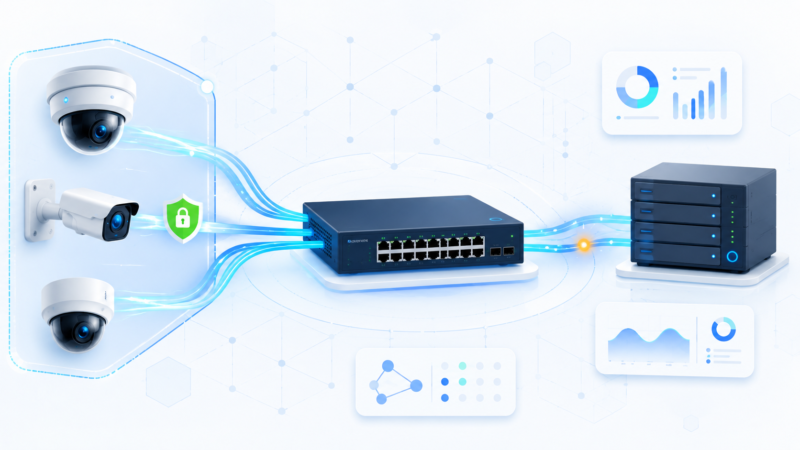
With that in mind, here is how the architecture looks end to end:

Every hop carries a CloudEvent. The type changes at the receiver (from reading to alert) because the receiver is now the producer of a new, derived event.
Part 2: The FastAPI Receiver with Kafka Alerting#
This is where the real processing happens. The FastAPI service receives incoming CloudEvents, parses the envelope to find out what type of event arrived, inspects the sensor data, and if thresholds are exceeded, builds a brand-new alert CloudEvent and publishes it to Kafka.
# receiver.py

import uuid
import logging
from datetime import datetime, timezone

from fastapi import FastAPI, Request, HTTPException
from cloudevents.http import CloudEvent, from_http
from cloudevents.conversion import to_structured
from cloudevents.exceptions import InvalidStructuredJSON
from kafka import KafkaProducer
from kafka.errors import NoBrokersAvailable

logging.basicConfig(level=logging.INFO, format="%(asctime)s | %(levelname)s | %(message)s")
logger = logging.getLogger(__name__)

app = FastAPI(title="CloudEvents IoT Receiver")

# --- Alert thresholds ---
TEMPERATURE_THRESHOLD = 35.0   # °C, above this is considered dangerous
HUMIDITY_THRESHOLD = 85.0      # %, above this risks condensation damage

# --- Kafka topic name follows the CloudEvents type convention ---
# The topic name IS the event type. Any subscriber immediately knows
# what kind of events live here without reading any documentation.
ALERT_TOPIC = "com.learningbot.iot.sensor.alert"

# --- Kafka setup ---
# The value_serializer is not needed here because we are going to pass raw bytes
# (the serialized CloudEvent body) directly. Kafka is just the transport.
try:
    kafka_producer = KafkaProducer(bootstrap_servers=["localhost:9092"])
    logger.info("Connected to Kafka successfully.")
except NoBrokersAvailable:
    kafka_producer = None
    logger.warning("Kafka not available. Alerts will be logged only.")


def build_alert_event(alert_type: str, value: float, threshold: float,
                      sensor_id: str, origin_event: CloudEvent) -> CloudEvent:
    """
    Builds a new CloudEvent for an alert condition.

    Notice that this event has its OWN id, source, and time. It is a brand-new
    event produced by THIS service (the receiver), not a forwarded copy of the
    sensor reading. The 'origin_event_id' field in the data payload provides
    the traceability link back to the original reading.
    """
    return CloudEvent(
        attributes={
            "type": ALERT_TOPIC,  # same string as the Kafka topic name
            "source": "/facility/receiver/threshold-monitor",
            "id": str(uuid.uuid4()),
            "time": datetime.now(timezone.utc).isoformat(),
            "datacontenttype": "application/json",
            "subject": sensor_id,
        },
        data={
            "alert_type": alert_type,
            "value": value,
            "threshold": threshold,
            "sensor_id": sensor_id,
            "origin_source": origin_event["source"],
            "origin_event_id": origin_event["id"],  # traceability back to the sensor reading
        },
    )


def publish_alert(alert_event: CloudEvent) -> None:
    """
    Serializes a CloudEvent and publishes it to the Kafka alert topic.
    We use Structured Mode so the entire CloudEvent envelope + data is in
    the Kafka message value as a single JSON document, easy for any consumer
    to parse without knowing how Kafka headers work.
    """
    # to_structured() returns (headers_dict, body_bytes).
    # We only need the body here. Kafka does not use HTTP headers.
    _, body = to_structured(alert_event)

    if kafka_producer:
        kafka_producer.send(ALERT_TOPIC, value=body)
        kafka_producer.flush()
        logger.info(
            f"Alert CloudEvent published to Kafka topic '{ALERT_TOPIC}': "
            f"{alert_event.data['alert_type']} = {alert_event.data['value']}"
        )
    else:
        logger.warning(f"[KAFKA UNAVAILABLE] Alert would have been: {alert_event.data}")


@app.post("/events")
async def receive_event(request: Request):
    """
    This single endpoint accepts any CloudEvent, regardless of its type.
    The CloudEvents SDK figures out whether the incoming request is in
    Structured Mode or Binary Mode automatically, so we do not need to
    worry about that at all.
    """
    headers = dict(request.headers)
    body = await request.body()

    # Parse the incoming HTTP request into a CloudEvent object.
    # from_http() handles both Structured and Binary Mode transparently.
    try:
        event = from_http(headers, body)
    except InvalidStructuredJSON as e:
        raise HTTPException(status_code=400, detail=f"Invalid CloudEvent: {e}")

    logger.info(
        f"Received event | type: '{event['type']}' | "
        f"source: '{event['source']}' | "
        f"id: '{event['id']}'"
    )

    # Route based on event type. This is where the power of having a standard
    # envelope really shines: you can add more elif branches for other event
    # types without changing any infrastructure code.
    if event["type"] == "com.learningbot.iot.sensor.reading":
        return await handle_sensor_reading(event)
    else:
        # We received a valid CloudEvent, but it is not a type we handle.
        # Return 200 anyway. It is not an error, we just do not act on it.
        logger.info(f"Unhandled event type: {event['type']}. Ignoring.")
        return {"status": "ignored", "reason": "unhandled event type"}


async def handle_sensor_reading(event: CloudEvent) -> dict:
    """
    Processes a sensor reading CloudEvent. Checks temperature and humidity
    against thresholds and fires new alert CloudEvents to Kafka if needed.
    """
    data = event.data
    alerts_triggered = []

    # --- Temperature check ---
    if data["temperature"] > TEMPERATURE_THRESHOLD:
        alert_event = build_alert_event(
            alert_type="HIGH_TEMPERATURE",
            value=data["temperature"],
            threshold=TEMPERATURE_THRESHOLD,
            sensor_id=data["sensor_id"],
            origin_event=event,
        )
        publish_alert(alert_event)
        alerts_triggered.append("HIGH_TEMPERATURE")

    # --- Humidity check ---
    if data["humidity"] > HUMIDITY_THRESHOLD:
        alert_event = build_alert_event(
            alert_type="HIGH_HUMIDITY",
            value=data["humidity"],
            threshold=HUMIDITY_THRESHOLD,
            sensor_id=data["sensor_id"],
            origin_event=event,
        )
        publish_alert(alert_event)
        alerts_triggered.append("HIGH_HUMIDITY")

    if not alerts_triggered:
        logger.info(
            f"Reading from {data['sensor_id']} is within safe range. "
            f"(Temp: {data['temperature']}°C, Humidity: {data['humidity']}%)"
        )

    return {
        "status": "processed",
        "event_id": event["id"],
        "alerts_triggered": alerts_triggered,
    }
Running It#
Open three terminal windows.
Terminal 1: Start the FastAPI receiver:
uvicorn receiver:app --reload --port 8000Terminal 2: Start the sensor publisher:
python sensor_publisher.pyTerminal 3: Watch the Kafka topic for alerts (optional):
docker exec -it kafka kafka-console-consumer.sh \
  --bootstrap-server localhost:9092 \
  --topic com.learningbot.iot.sensor.alert \
  --from-beginning
You should start seeing output like this in the publisher terminal:
Sensor 'sensor-room-42' starting. Sending readings every 5 seconds...

[14:31:05] Sent reading | Temp: 22.4°C, Humidity: 55.1% | Server responded: 200
[14:31:10] Sent reading | Temp: 38.9°C, Humidity: 87.3% | Server responded: 200
[14:31:15] Sent reading | Temp: 19.1°C, Humidity: 43.6% | Server responded: 200
And in the Kafka consumer terminal, when a threshold is exceeded, you will see a full CloudEvent, not a raw dict, arrive on the topic:
{
  "specversion": "1.0",
  "type": "com.learningbot.iot.sensor.alert",
  "source": "/facility/receiver/threshold-monitor",
  "id": "a3c2e1d0-9f4b-42a1-b567-1234abcd5678",
  "time": "2026-06-08T14:31:10Z",
  "datacontenttype": "application/json",
  "subject": "sensor-room-42",
  "data": {
    "alert_type": "HIGH_TEMPERATURE",
    "value": 38.9,
    "threshold": 35.0,
    "sensor_id": "sensor-room-42",
    "origin_source": "/facility/floor-1/room-42",
    "origin_event_id": "f81d4fae-7dec-11d0-a765-00a0c91e6bf6"
  }
}
Notice the origin_event_id field in the data. That is the id of the original sensor reading CloudEvent that triggered this alert. You now have a complete, standards-compliant audit trail: every event in the system, from the raw sensor reading on HTTP all the way to the Kafka alert, is a CloudEvent with a unique identity and clear lineage.
Why Does CloudEvents Help Here?#
Notice something important in the receiver code: the handle_sensor_reading function does not need to know how the event was encoded in transit. The from_http() call handles Structured Mode and Binary Mode equally well. If tomorrow a different sensor starts sending Binary Mode events, the receiver works without any changes.
The routing logic in receive_event is purely based on event["type"], a standard field. Adding support for a new sensor type (say, com.learningbot.iot.motion.detected) is just adding another elif branch. The infrastructure code stays stable while the business logic grows.
Most importantly, the architecture is now fully homogeneous: every message at every hop is a CloudEvent. The sensor speaks CloudEvents over HTTP. The alert speaks CloudEvents over Kafka. Any future service that joins this system, whether it reads from HTTP or from Kafka, speaks the same language. You never have to write a translation layer.
Other Places You Will See This Pattern#
The IoT use case is a great entry point, but CloudEvents is everywhere in modern backend systems.
A very common scenario is an e-commerce order pipeline. When a customer completes checkout, the order service emits a com.shop.order.placed CloudEvent. Multiple independent services (inventory, email notifications, fraud detection, analytics) all subscribe to this event and react to it. Because they all agree on the CloudEvents envelope, each service can be built independently, on different stacks, and they will still understand each other. AWS EventBridge, Google Cloud Eventarc, and Azure Event Grid all natively support the CloudEvents format for exactly this reason: it lets heterogeneous services interoperate without any custom glue code.
The pattern applies equally to CI/CD pipelines, user activity tracking, financial transaction ledgers, and anywhere else events flow between systems.
Wrapping Up#
CloudEvents 1.0 is a small but powerful idea: if we all agree on what an event description looks like, we can stop writing adapter code and start building actual features. The four required attributes (specversion, id, source, type) are enough to make events universally routable, traceable, and understandable.
In the Python example above, we saw how the official cloudevents SDK makes it trivial to produce and consume compliant events with just a few lines of code. The FastAPI receiver does not need to know whether it is talking to a Python sensor, a Go service, or a Java microservice: the envelope is always the same.
If you are building anything event-driven, CloudEvents is worth adopting from day one. The cost is minimal (a handful of extra fields), and the long-term benefit in interoperability and maintainability is significant.